
Get started
Introduction
Rendley Connect adds video editing to your product without you building an editor. Your server creates a session with a user’s video, the user edits it in the Rendley editor, and your server downloads the finished file when they come back.
You don’t host an editor, store projects or render video. The integration is two API calls and a return page.
How it works
- Create a session
POST /v1/connect/sessionsWhen a user clicks your Edit button, your server sends their video and the page to return to. You get back a link to the editor. - Redirect the user
redirect to urlThe user signs in to Rendley and edits. The video is already on the timeline. - The user comes back
return_url?session_id&statusWhen they click Done, the video renders and uploads, and their browser returns to your page. - Download the video
GET /v1/connect/sessions/{id}Your server reads the session and copies the file fromexport_urlto your storage.
What your users see
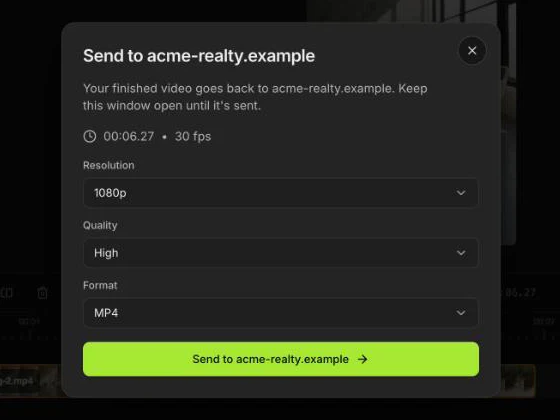
The editor runs at app.rendley.com, in Rendley’s interface. Users sign in with their own Rendley account, and a free account works. Your domain appears on the Back to and Send to buttons, so they always know where the video goes.
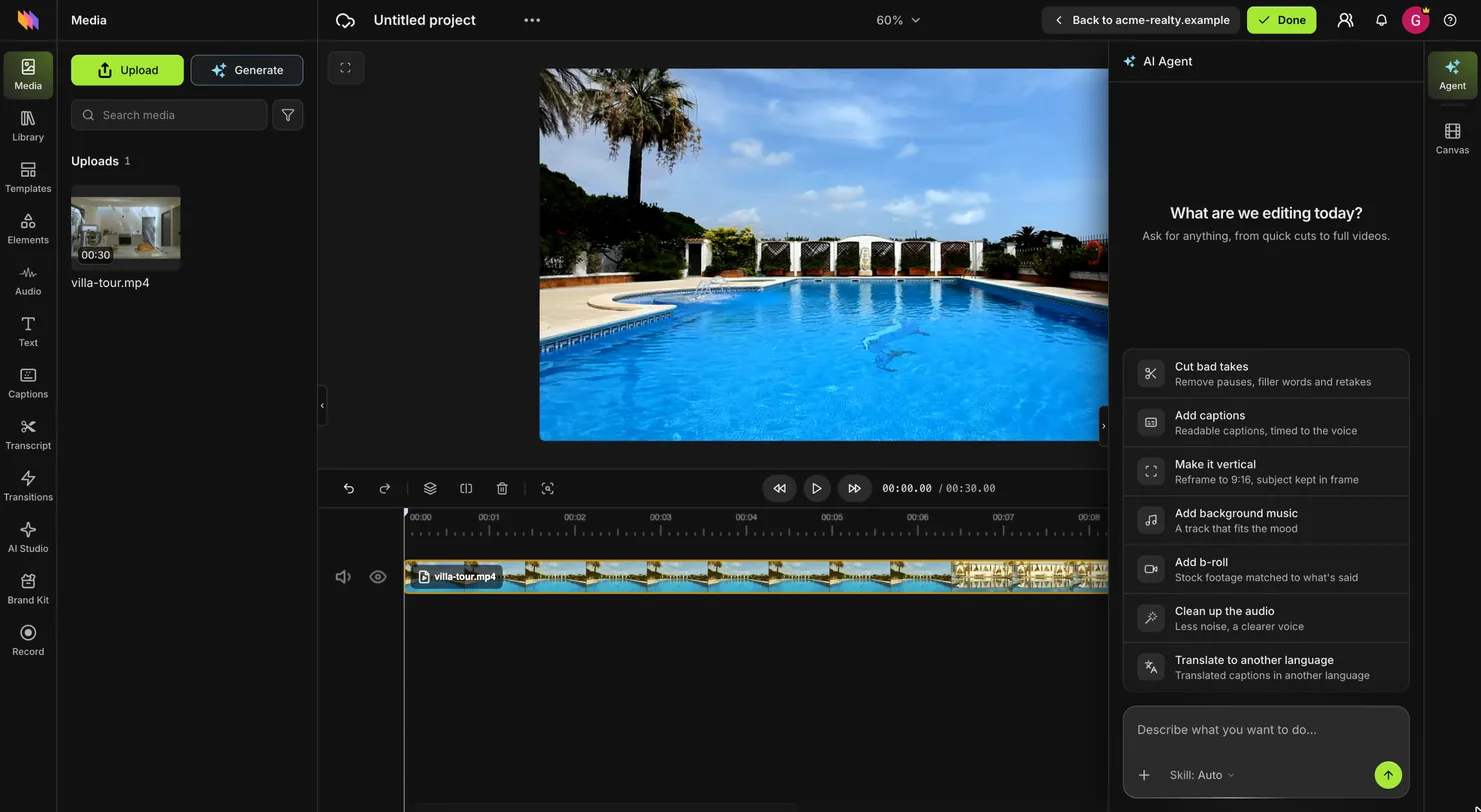
They edit by hand or ask the AI agent, then click Done and choose the resolution, quality and format. AI features use the user’s own credits.
Connect, API or SDK
| Connect | API | SDK | |
|---|---|---|---|
| Who edits | Your user, in the Rendley editor | Your server, with no person involved | Your user, in an editor you build |
| Where | app.rendley.com | Nowhere, there is no interface | Your own pages, under your brand |
| User account | Their own Rendley account | None | None |
| You build | A button and a return page | Calls from your backend | The editor UI |
Plans and limits
| Your plan | Any paid Rendley plan for the account that owns the key. No charge per session. |
| Your users | Their own Rendley account, free or paid. A free account holds 10 projects, and each new session adds one. |
| Assets | Up to 20 per session, or none for an empty project |
| Session link | Must be opened within 24 hours. Each visit extends it by 24 hours. |
| Output | MP4 or WebM at 30 fps, up to 1080p on any plan, no watermark |
| Finished file | Download link valid for 3 hours. The file is kept for 7 days. |