
Connect Claude
Once connected, Claude can create projects, edit videos, and render exports from a single prompt. Pick the path that matches how you use Claude.
Desktop and web
Custom connectors are available on every Claude plan (Free is limited to one). The Desktop app and Claude on the web share the same Connectors UI, so the steps below cover both.
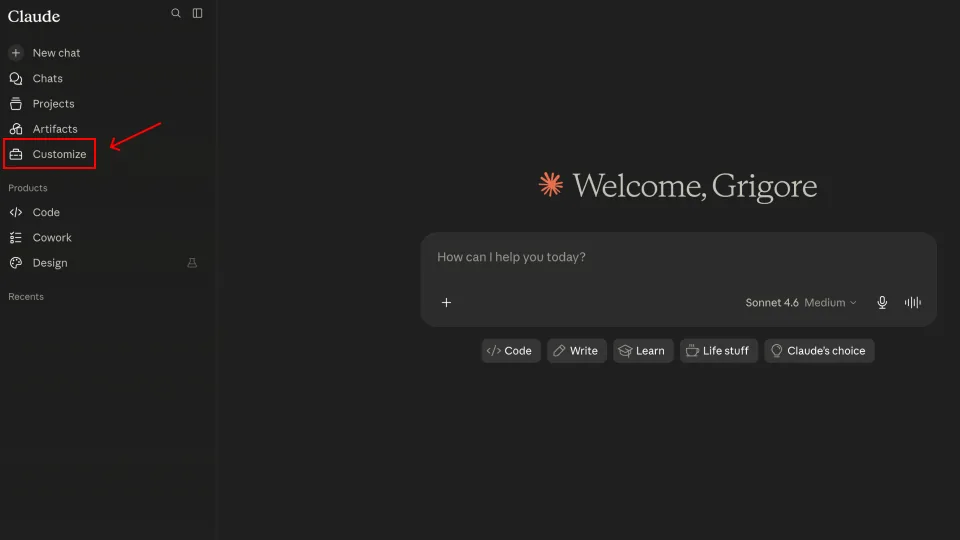
1. Open Customize
In the Claude sidebar, click Customize.
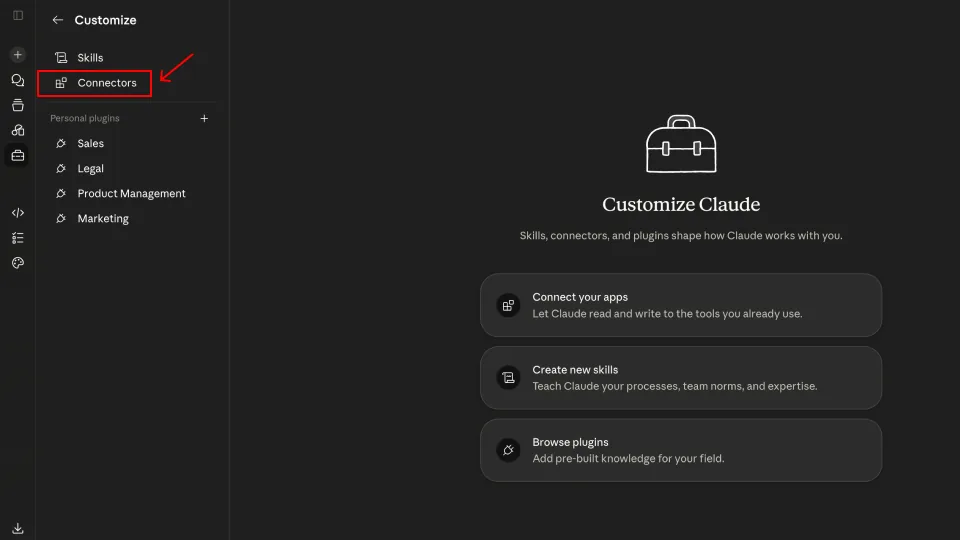
2. Open Connectors
In the Customize panel, select Connectors.
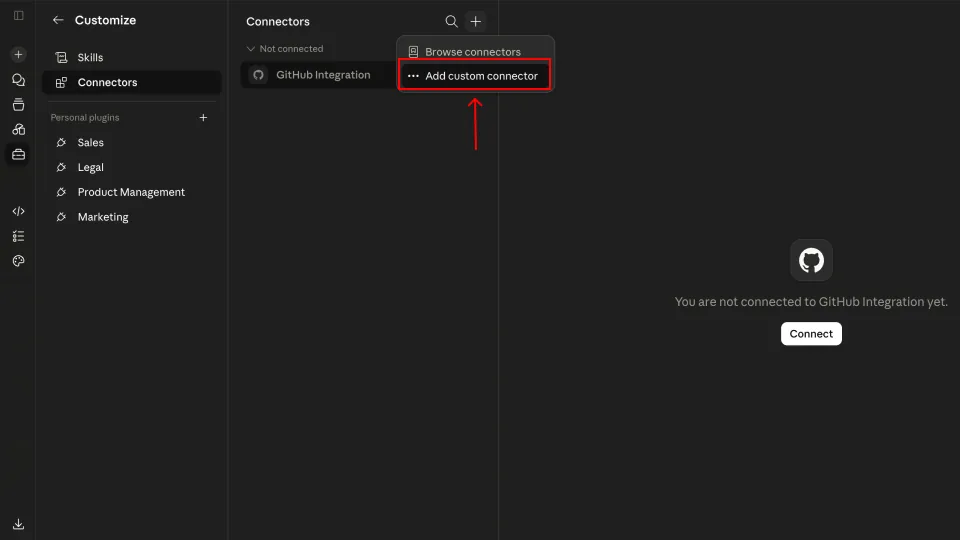
3. Add a custom connector
Click the + icon at the top of the Connectors list and choose Add custom connector.
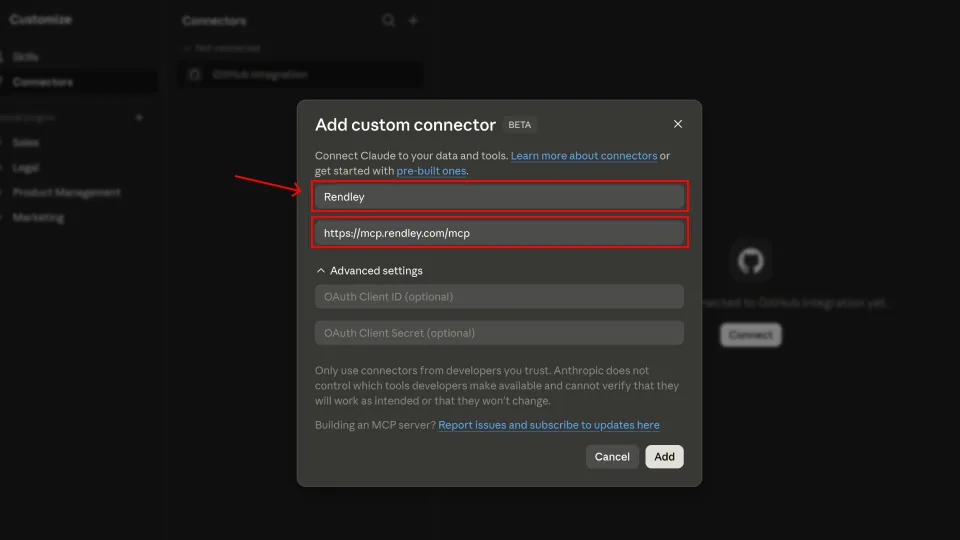
4. Enter Rendley’s details
Name the connector Rendley and paste the endpoint:
https://mcp.rendley.com/mcpLeave the OAuth fields empty, then click Add.
5. Connect
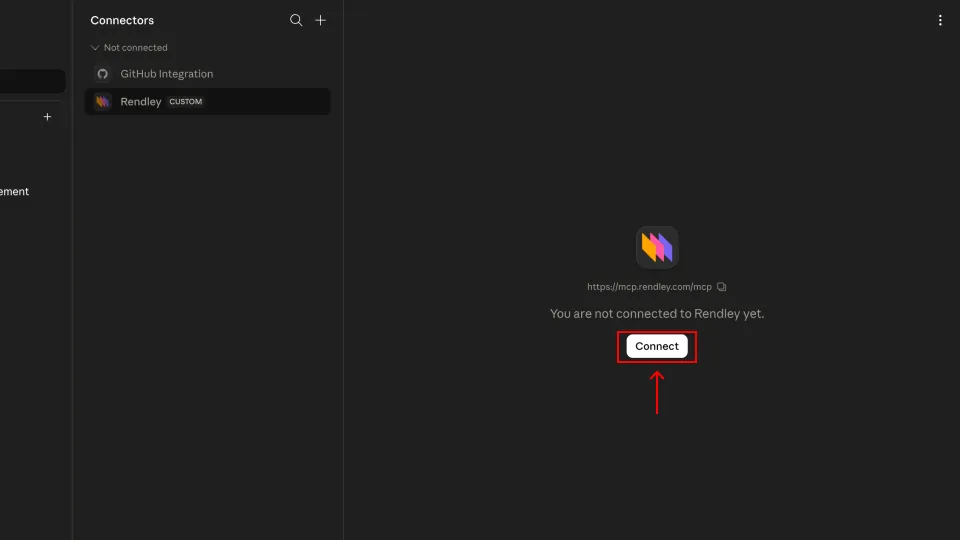
Rendley now appears under Connectors. Click Connect to open the Rendley sign-in tab, then click Allow access.
6. Review tool permissions (optional)
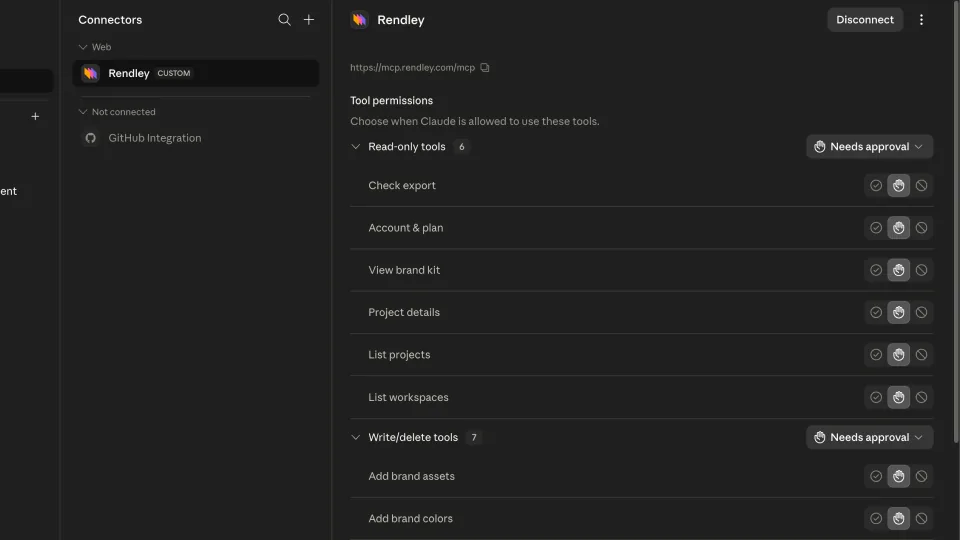
Claude lists every Rendley tool grouped by Read-only and Write/delete. Set each to Ask, Allow, or Block depending on how much autonomy you want to give Claude.
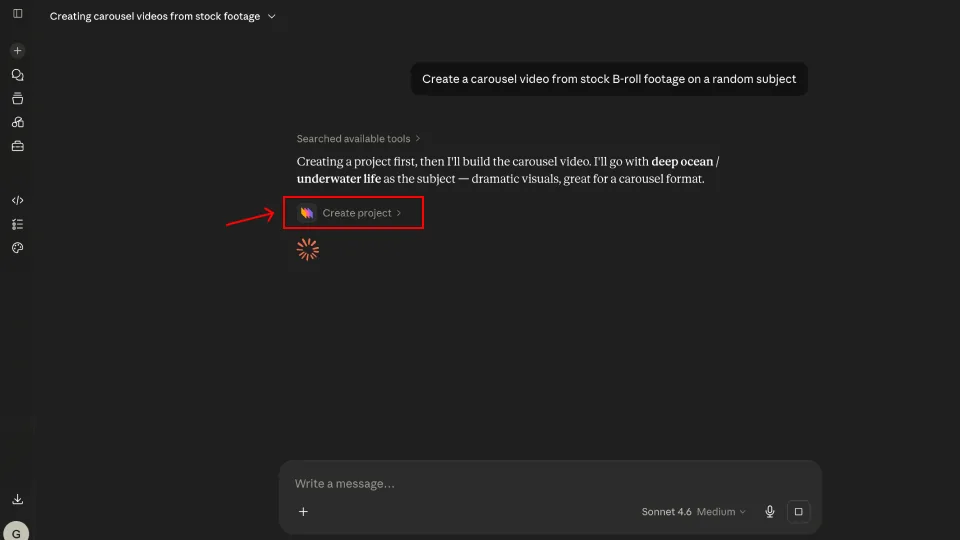
You’re set. Start a new chat and Claude will use Rendley whenever a request needs video.
Claude Code
Register Rendley once and every session can use it. With a bearer token:
claude mcp add --transport http rendley https://mcp.rendley.com/mcp \
  --header "Authorization: Bearer YOUR_RENDLEY_API_KEY"
Get a key from Settings → API Keys in Rendley. See Authentication for the full flow.
To sign in instead of using a key, omit --header, then run /mcp inside Claude Code to start the browser flow:
claude mcp add --transport http rendley https://mcp.rendley.com/mcpAdd --scope project to share the server with your repo (it is written to .mcp.json at the project root, which you can commit).
Try it
Ask Claude what it can do, then try a simple request:
What can Rendley do here?
List my projects.
If Claude lists its Rendley tools and your projects, you’re connected. From there, describe the video you want and Claude creates a project, builds the edit, and returns a link.
Common issues
- Connector will not sign in. Allow pop-ups for
app.rendley.comand try again. - Claude does not see the tools. In Claude desktop/web, open Customize → Connectors and confirm Rendley shows a green dot. In Claude Code, run
/mcpto confirmrendleyis connected. - A tool call failed. Usually a transient editor session. Ask Claude to retry. If it persists, see Troubleshooting.