
Platform
Authentication
The API authenticates with a bearer API key. Send it in the Authorization header on every authenticated request.
Get a key
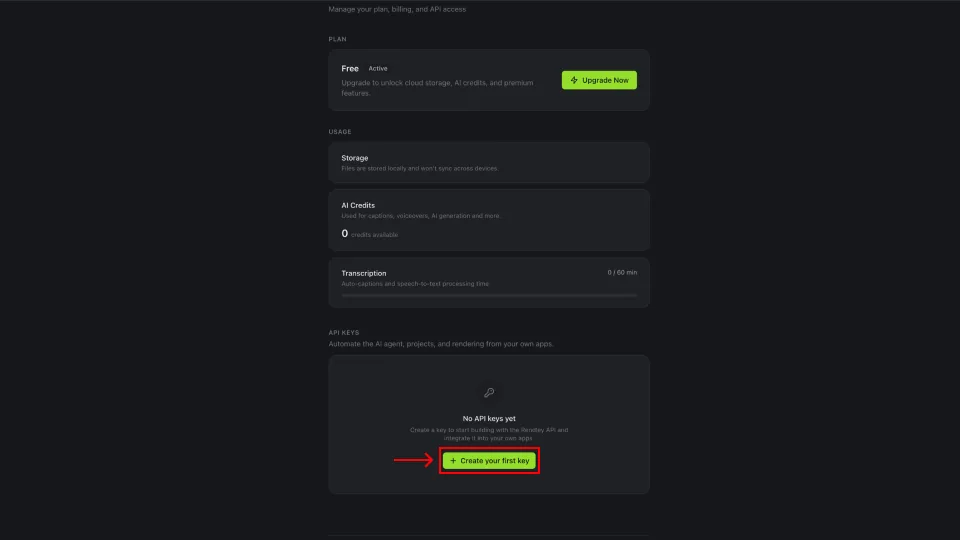
1. Open API keys in settings
Sign in to Rendley and open Settings. Scroll to the API Keys section and click Create your first key, or New key if you already have one.
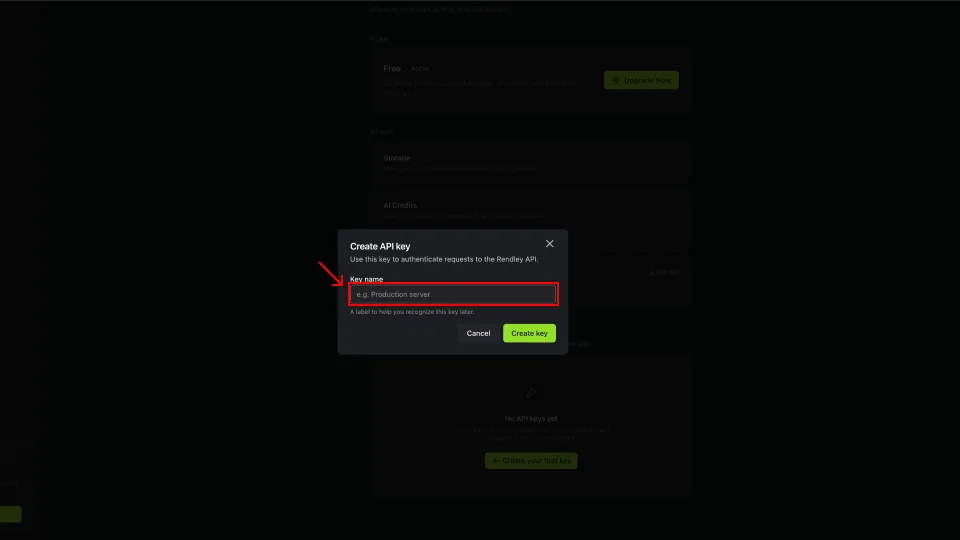
2. Name the key
Give the key a label that tells you where it is used, like Production server or Staging worker, then click Create key.
3. Copy the key
The full key is shown once. Click the copy icon and store it somewhere safe, a password manager or a .env file. If you close the dialog without copying, create a new key. Rendley cannot show this one again.
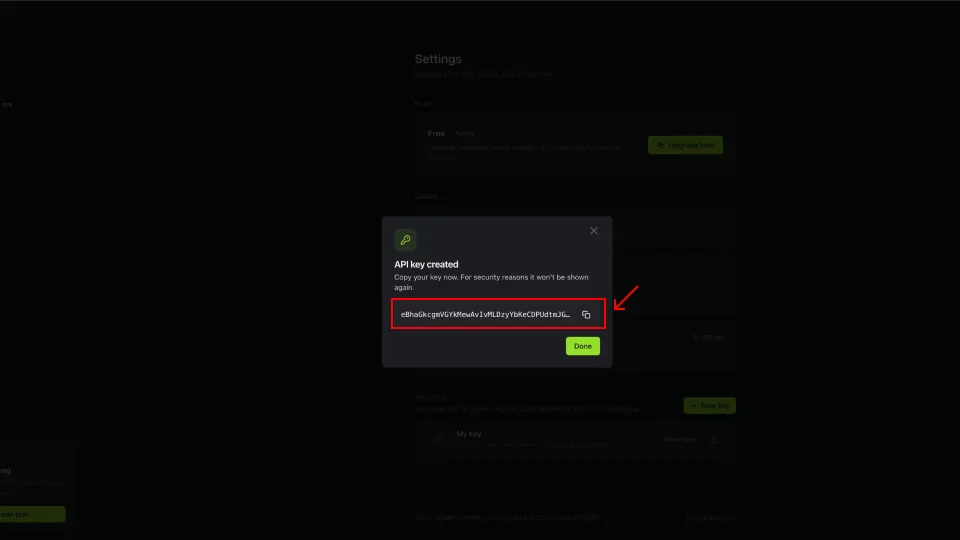
The key has full access to your projects, media, and credits, so treat it like a password.
Send the key
Pass the key in the Authorization header. The Bearer prefix, including the space, is required, and a raw token without it returns 401. The prefix itself is not case sensitive.
const res = await fetch("https://api.rendley.com/v1/workspaces", {
  headers: { Authorization: "Bearer YOUR_API_KEY" },
});
curl https://api.rendley.com/v1/workspaces \
-H "Authorization: Bearer YOUR_API_KEY"import requests
res = requests.get(
"https://api.rendley.com/v1/workspaces",
headers={"Authorization": "Bearer YOUR_API_KEY"},
)Every endpoint in the API reference requires a valid key. The public template endpoints under /templates are the exception and can be read without authentication.
Errors
| Status | Meaning |
|---|---|
401 Unauthorized | The key is missing, malformed, or invalid. |
403 Forbidden | The key is valid, but the resource is outside the account or the operation requires an active subscription. Read the error code for the exact cause. |
Error bodies follow the standard envelope:
{ "error": { "code": "UNAUTHORIZED", "message": "Unauthorized" } }See Errors and retries for the full list of status codes.
Good practice
- Keep keys server-side. Do not ship them in browser or mobile clients.
- Rotate a key from Settings if it leaks, and update your services.
- Use a separate key per environment so you can revoke one without affecting the others.